Here’s how to join in
If you’ve never participated in an online auction, you might picture fast-talking auctioneers, people waving bid cards, and someone shouting “SOLD!” before you can figure out what just happened.
Online auctions are a little different.
You can browse from your couch, place bids from your phone or computer, and take your time looking through the catalog before deciding what catches your eye. And once you’ve placed that first bid? Well… things can get pretty interesting.
At Asset Marketing Pros (AMP), we’ve been in the auction business since 2007, and one of our favorite things about auctions is that you never quite know what will turn up next.
You Never Know What You’ll Find
That’s part of the fun.
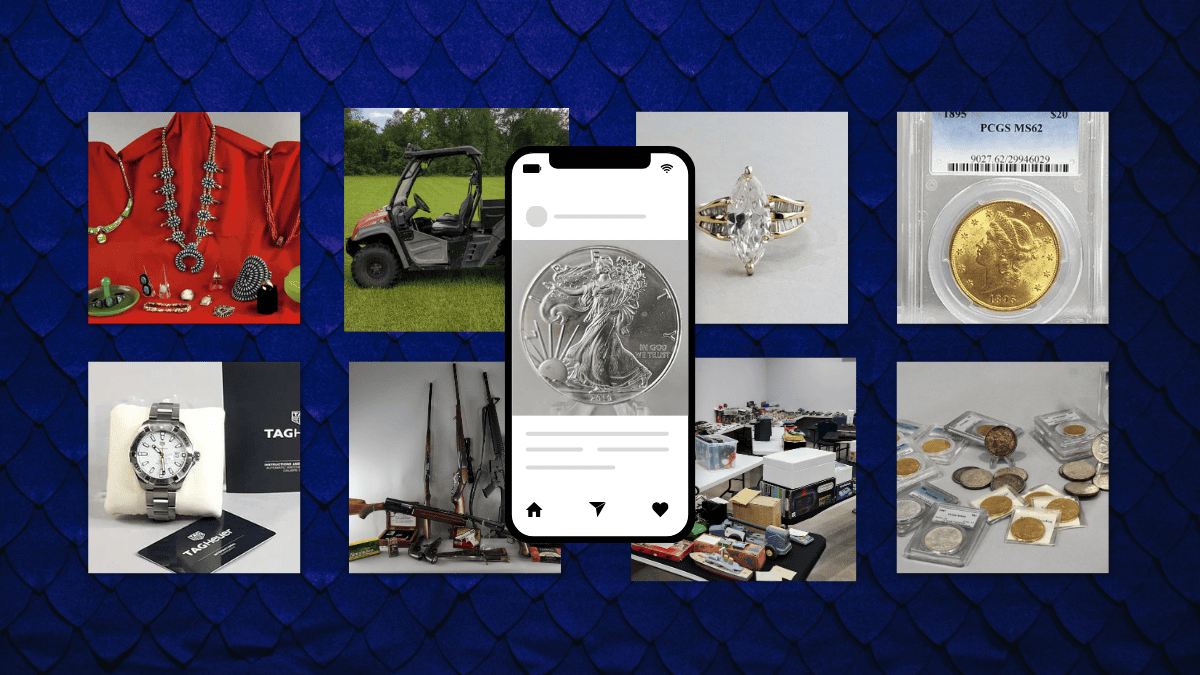
One auction may include firearms and sporting goods; another may have collectibles, coins, jewelry, furniture, household items, or an assortment that makes you wonder, “Where in the world did they find all of this?”
Every auction has its own personality.
Unlike walking into a traditional store where you generally know exactly what’s on the shelves, an auction gives you a reason to browse. Sometimes the item you end up wanting most isn’t the item you came looking for.
How Does an AMP Online Auction Work?
It’s actually pretty simple.
Our online auction catalog lets you browse available items, read descriptions, view photos, and place bids online.
Before bidding, take a little time to explore the catalog. David spends considerable time researching items and preparing the information you see in our auction listings. We want bidders to have useful information before deciding whether an item belongs on their wish list.
Found something you like?
Place your bid and keep an eye on it.
You can also use maximum bidding, which allows you to enter the highest amount you’re willing to pay. The bidding system can then bid on your behalf, up to the maximum amount you entered.
That means you don’t necessarily have to sit at your computer watching every bid.
We know some of you will, anyway.
We won’t judge.
The Last Day Can Get Exciting
This’s where online auctions get especially fun.
You’ve been watching an item for days. You’re the high bidder. The auction is about to close.
Then…
Someone bids against you.
Now you have to decide.
Do you let it go?
Or do you decide that you really do need that thing you didn’t even know existed three days ago?
This is where the action happens: you bid again, then the others bid again. It can be exciting, but it can also be a letdown if other buyers are willing to spend more than you. It’s the thrill of the competition.
Welcome to auctions.
A Few Tips for New Bidders
First, read the item description and look at all the photos. Auction items are generally sold as described in the auction terms, so take advantage of the information provided.
Second, read the auction terms before bidding. Pickup information, payment methods, buyer’s premiums, and other details can vary, so it’s best to know the rules before you bid.
Third, decide what an item is worth to you. Auctions are exciting, but you are always in control of your own bidding.
Finally, don’t wait until the last second to figure things out. Register early, browse the catalog, and make sure you’re comfortable with the bidding system before the auction begins closing.
Remember, here at AMP, we are here for you. If you don’t understand something or need more information, call Liz or David at 936-594-0812.
What Happens If You Win?
First: congratulations!
After the auction closes, winning bidders receive payment and pickup information by email and/or text.
Pay attention to the pickup dates and instructions listed for that particular auction. We handle different types of auctions, so the details may vary. We have a schedule, and you choose your pickup time.
If you’ve purchased a firearm, additional requirements apply. Asset Marketing Pros is a Federal Firearms Licensed (FFL) facility, and we handle firearm transactions in accordance with applicable laws and regulations. We provide firearm buyers with information so you know what to expect before bidding.
Auctions Aren’t Just About Getting a Bargain
Of course, everybody loves getting a good deal.
But that’s only part of what makes auctions interesting.
Auctions are also about discovery.
It’s finding something you’ve been searching for.
It’s stumbling across something you haven’t seen since you were a kid.
It’s discovering an unusual collectible and spending the next half hour researching it.
And occasionally it’s explaining to your spouse why you absolutely needed whatever you just won.
We can’t help you with that last part.
Come See What’s Up for Auction
Whether you’re an experienced bidder or have never placed an online bid, you’re welcome to browse.
Browse our current and past auction catalogs, read the descriptions, check out the photos, and see if something catches your eye. Past auctions let you know what a lot sold for.
You don’t have to bid to browse.
But we should probably warn you:
Browsing has been known to lead to bidding.
Happy bidding!
Asset Marketing Pros, LLC
East Texas auction professionals serving bidders locally and nationwide since 2007.